How-to guide · MM Studio · October 8, 2026
Record a goal run and review your route and splits
Start with a distance or time goal, record the session, then look back at the actual route and splits. This guide reflects RunPilot 1.0 on the App Store. It requires iOS 17 or later on iPhone and watchOS 11.6 or later on Apple Watch. You can also choose an open run without a preset goal.
Step by step
-
1. Choose your recording device
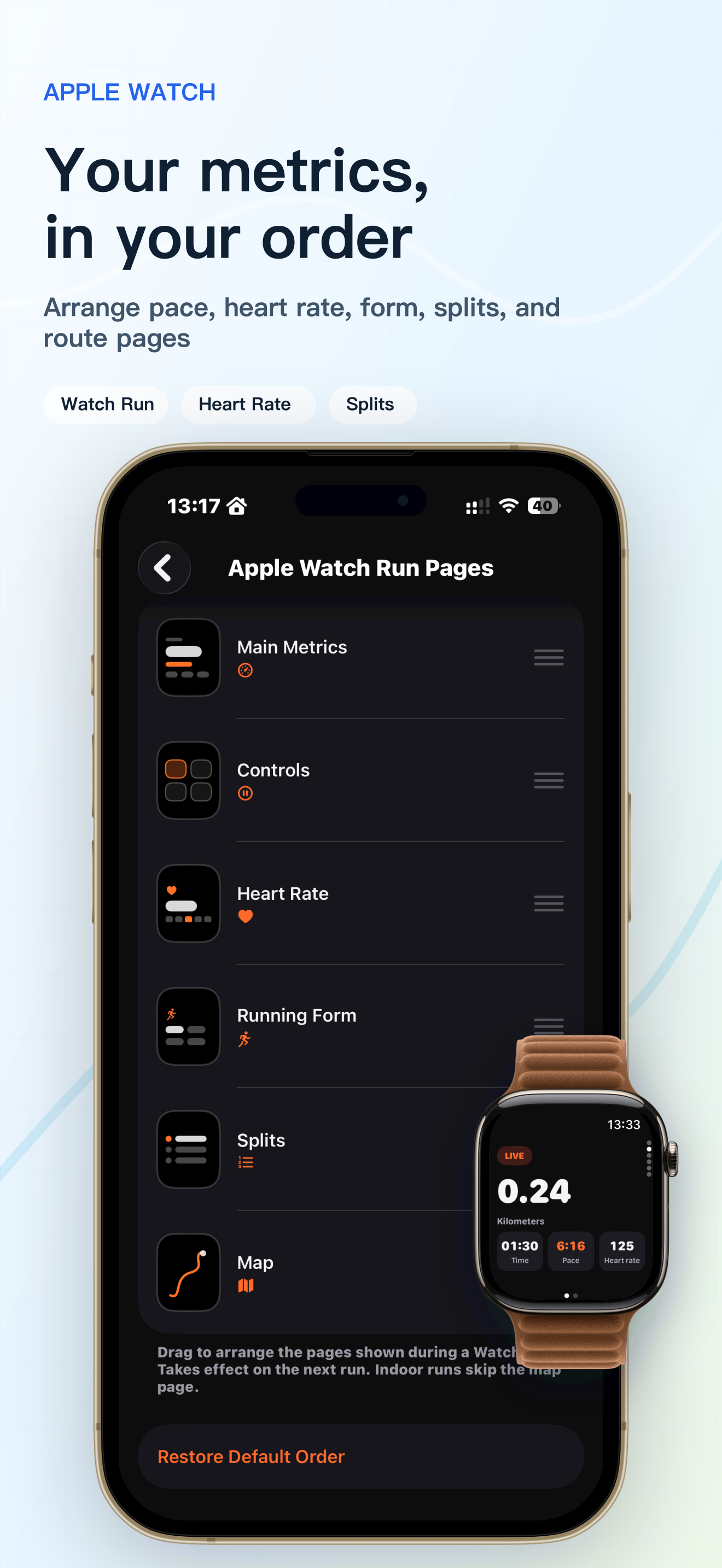
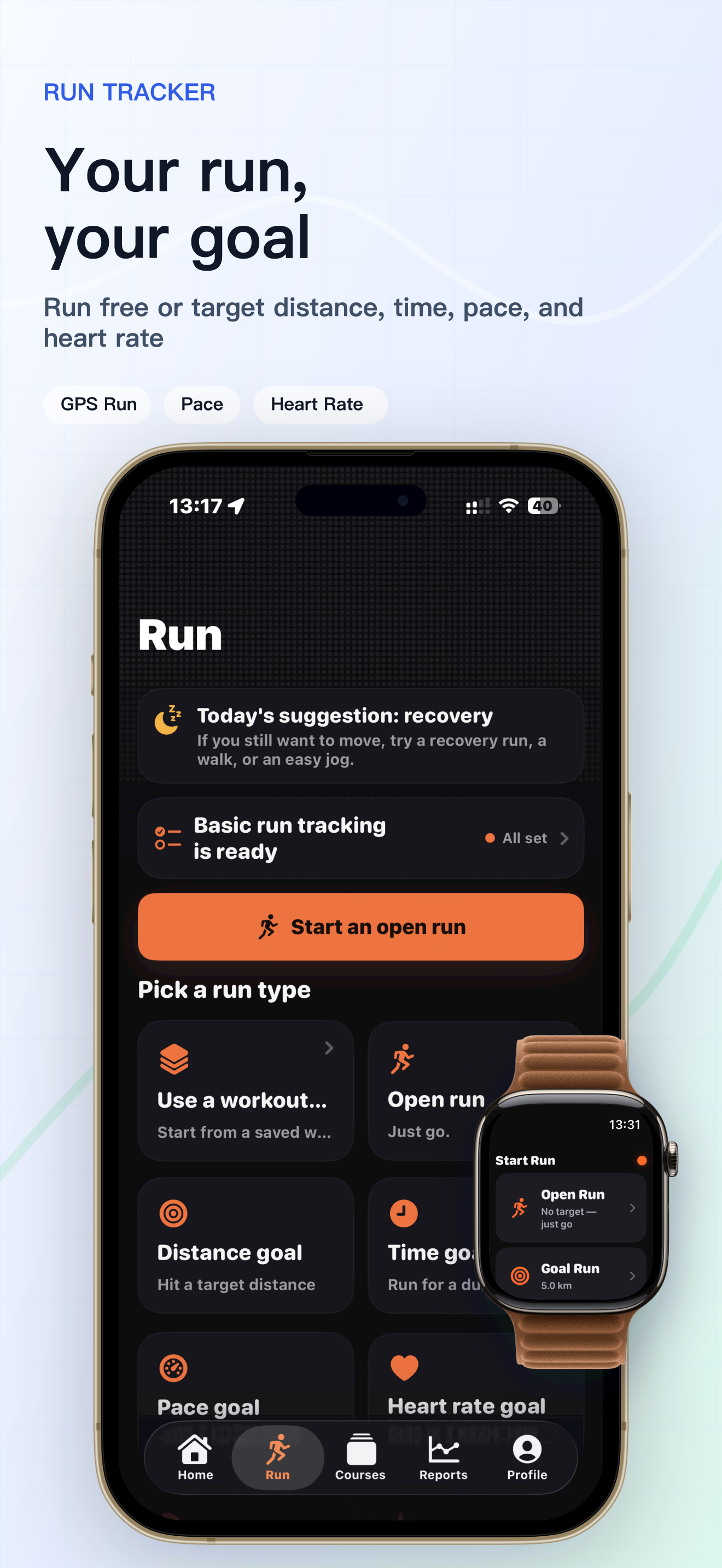
Decide whether to start this run from iPhone or Apple Watch. iPhone requires iOS 17 or later; Apple Watch requires watchOS 11.6 or later. The watch supports open runs, goal runs, and course workouts, with metrics and workout controls on your wrist. Completed records can sync to iPhone. Check the app for access to individual courses.
-
2. Choose a goal and check its value
Open Run and choose Distance goal or Time goal. Enter the goal you intend to use for this session and check its value and units. The app also supports pace and heart-rate goals. Choose Start an open run if you only want to record without a preset target.
-
3. Start recording, then pause or resume as needed
Start the selected run and check metrics such as distance, duration, and pace. RunPilot supports a countdown, pause and resume controls, and weak-GPS feedback. Coaching audio follows the app’s English or Chinese language setting. Pause when you need a break and resume recording when you continue.
-
4. Finish and check the recorded route
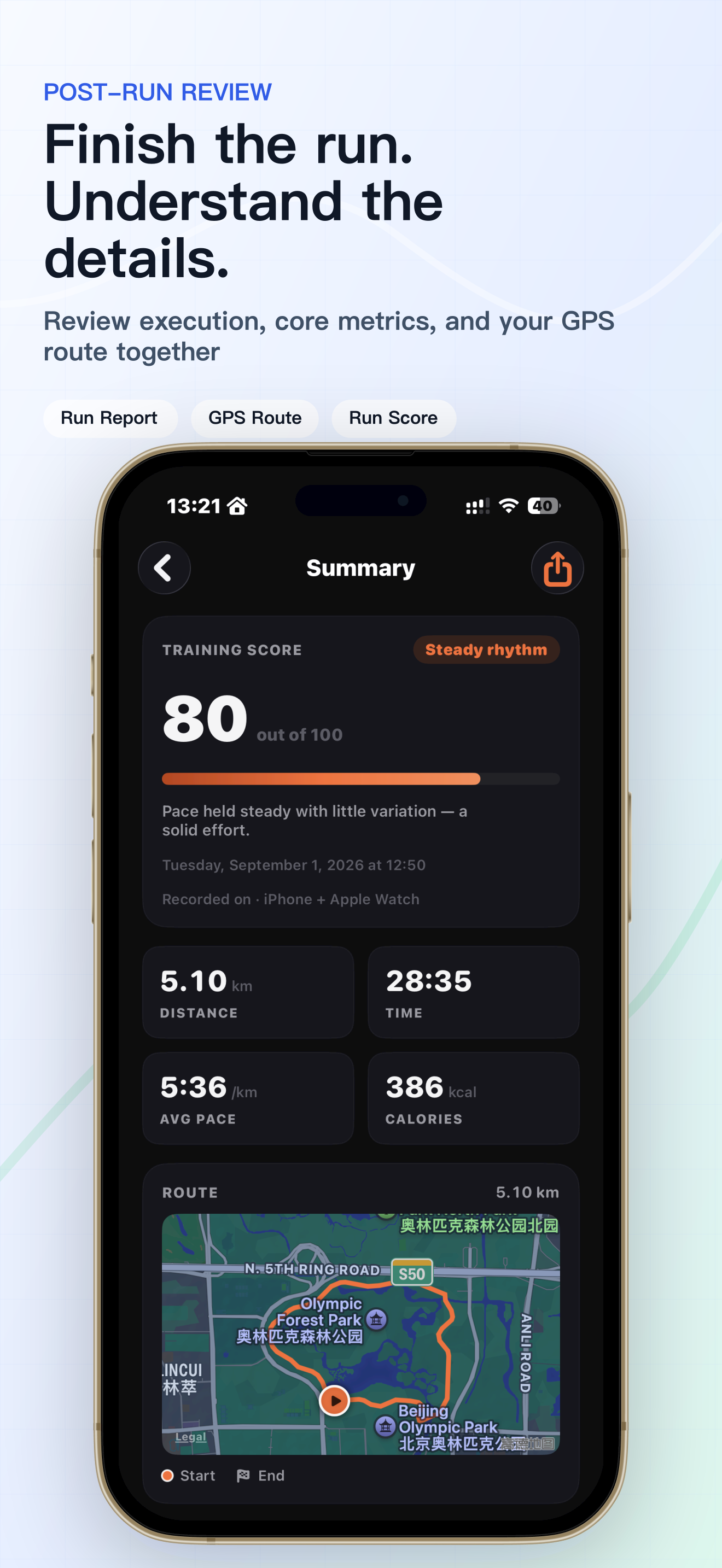
After finishing, open the run and check its distance, duration, and pace. Review the route map against the path you took. If you recorded on Apple Watch, sync the completed run to iPhone to review the report. The pictured route, numbers, and score are illustrative examples, not your own results.
-
5. Use splits to review pace changes
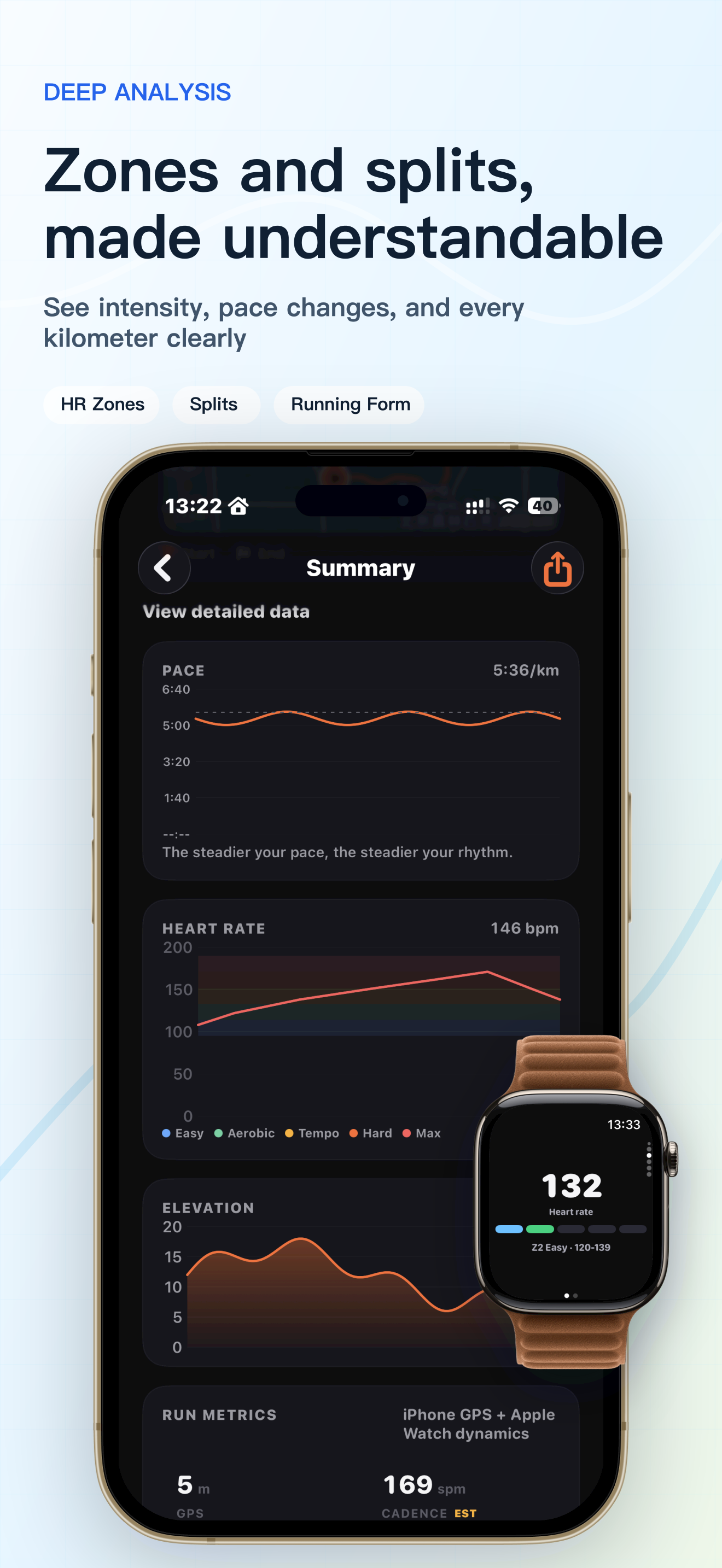
Read the run’s splits alongside the route and any stops you made. Splits help you locate pace changes within the session rather than relying only on the overall average. Basic reports are free; advanced charts, training load, and same-route comparison are Pro features. The pictured charts do not mean every analysis feature is included for free.
Know the limits
- Basic running and reports are free. Pro adds the full course library, advanced charts, training load, same-route comparison, annual recap, additional reporting and sharing tools, and unlimited history and custom plans. Check the app for any free history or plan allowance.
- Pro offers monthly or yearly auto-renewing subscriptions and a non-renewing one-time purchase. Eligible new subscribers can try Yearly for seven days; the App Store determines eligibility. Monthly and the one-time option have no trial. Yearly renews at the displayed annual price after the trial unless canceled beforehand.
- You choose the goal values. This guide covers recording and review, without prescribing a training plan or promising weight-loss or performance outcomes. The app’s training information is not medical advice, diagnosis, or treatment.
Common questions
Do I need an Apple Watch?
You can record runs with iPhone. A supported Apple Watch can also start open runs, goal runs, and course workouts, then sync completed records to iPhone. Check in-app information for course access.
Does a goal tell me how I should train?
Distance, time, pace, and heart-rate goals are targets you choose for the session. This guide explains the controls and does not recommend a distance, pace, or heart-rate zone.
Where can I cancel a subscription or restore a purchase?
Manage or cancel auto-renewing subscriptions in your Apple Account subscription settings. Use Restore Purchases in RunPilot to restore eligible purchases. The one-time option does not renew.
Try it in RunPilot
Check the App Store and in-app information for feature access, current pricing, and purchase terms. The interface may change with updates.
Download on the App Store