
PDF Page Organizer
Merge, split, reorder, rotate, and crop PDF pages.
- Compatibility
- iOS 17+
- Version
- 1.1
- Price
- Free
About this app
PDF Page Organizer helps you put PDF pages in the order you actually want. Use a visual thumbnail grid to merge several PDFs, drag to reorder pages, batch rotate, delete, duplicate, crop, split, or extract pages into a new PDF. Page editing is free at any length. Free includes limited watermark-free exports of one source PDF up to 10 pages; check the allowance shown in the app. Pro unlocks any-length exports, multi-PDF merged exports, splitting and extracting into separate files, and unlimited exports through a yearly plan or one-time purchase. PDF processing stays on your device and is never uploaded to a developer server. No account, no ads, and no data collection.
Inside the app
See how it works
Select an image to enlarge. Content is illustrative; the interface may change with updates.
Practical how-to guide
Put PDF pages in order and export the right files
Reorder, rotate, and crop PDF pages in a thumbnail grid, choose a merged, extracted, or split output, and check the files before delivery.
Read the step-by-step guide →Features
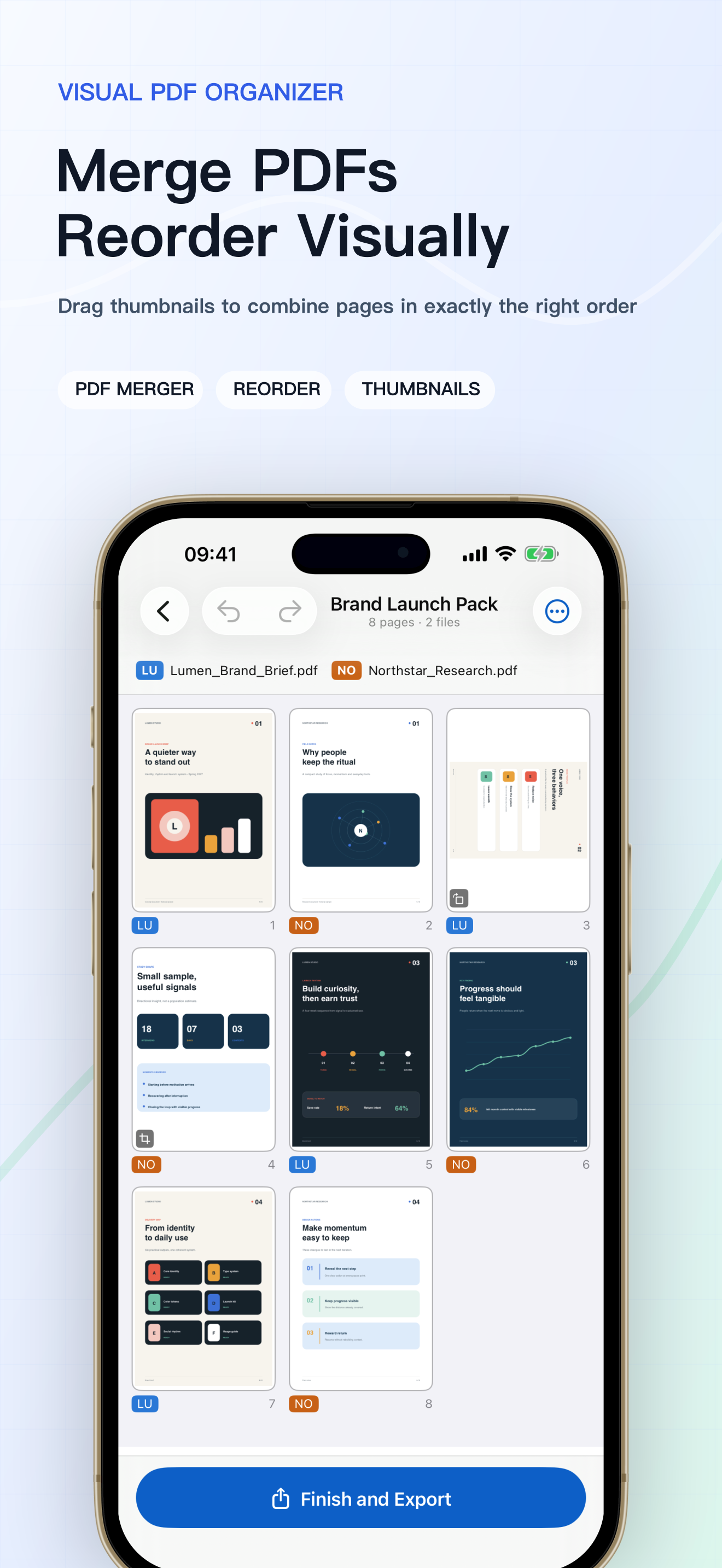
Visual Merge and Reorder
See the whole document in a thumbnail grid and drag pages into exactly the right order across multiple PDFs.
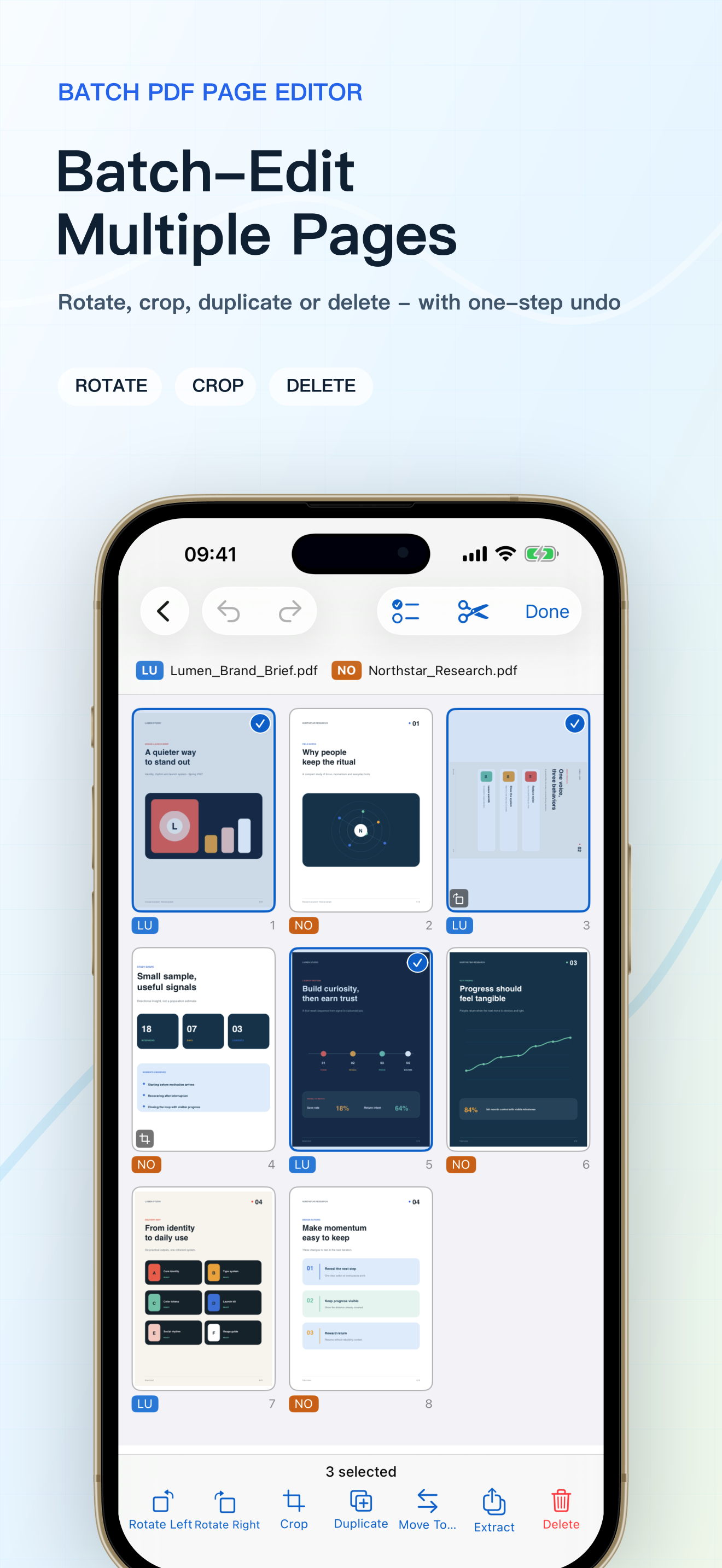
Batch Page Editing
Select multiple pages and rotate, delete, duplicate, or crop them as one undoable action while originals stay untouched.
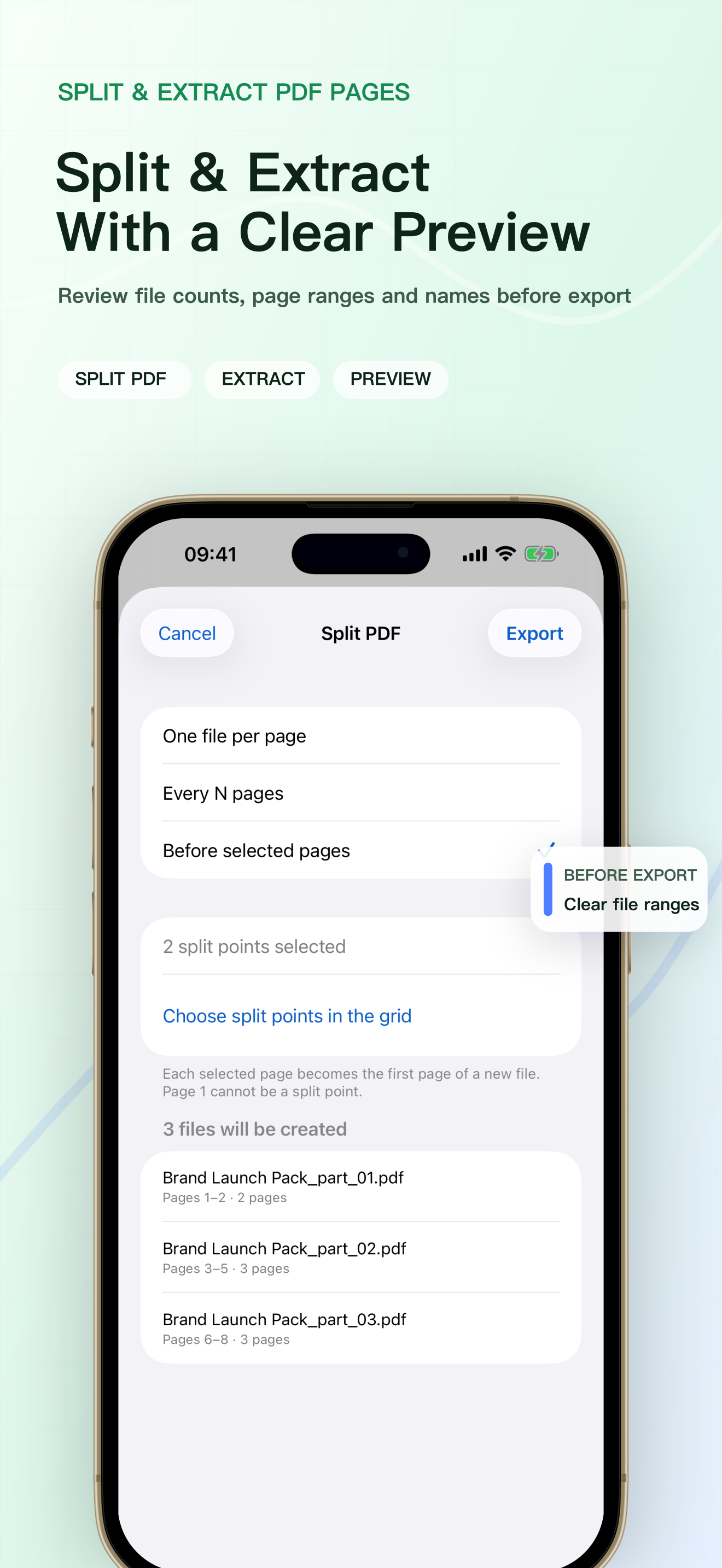
Preview Split and Extract
Split by page, every N pages, or selected positions, then review file counts, page ranges, and names before export. Splitting and extracting into separate files require Pro.
Precise PDF Cropping
Adjust margins visually with a crop frame and apply the same proportions to selected pages.
Verified Before Export
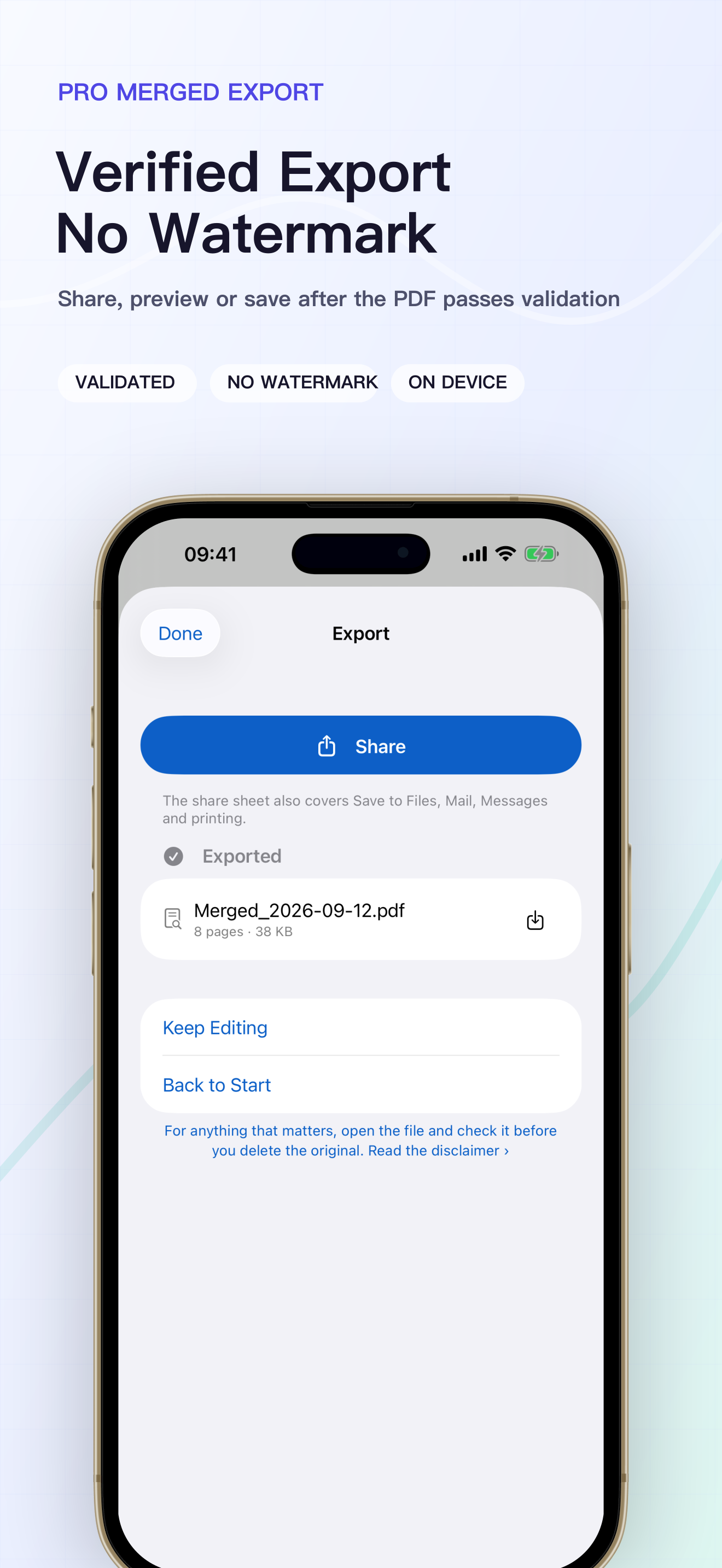
Exported PDFs are reopened and checked page by page before success is reported. No watermark is added.
On-Device and Private
Opening, editing, and exporting happen on device. No account, no ads, no analytics SDK, and no data collection.


